Case study · B2B SaaS · Cloud communications
Cloud communication platform for businesses
Airtel asked us to build a complete cloud communication suite — calls, SMS, mobile and web — that businesses could use to manage customer engagement without engineering help. My focus was the two things that made or broke that promise: a trial journey simple enough to self-serve, and a visual call-flow builder businesses could actually trust with production traffic.
Problem
Existing call-flow builders like Twilio's and Plivo's were built for developers, not the businesses actually configuring them — rigid, hard to navigate, and impossible to preview before something went live on a real customer's phone.
Approach
Audited the competition, then designed a self-serve trial journey — sign up, activate a test number, drop into ready-made call-flow templates, configure and test them, and see the results — before building the full builder around it.
Outcome
Airtel IQ launched to more than 1,000 trial businesses, with a 125% increase in end users in its first six months and coverage in Hindustan Times Tech and The Hindu BusinessLine.
01
The gap
A call-flow builder businesses could configure themselves
Airtel came to us wanting a scalable communication platform that fit businesses of every size — without asking them to write code or wait on an engineering team every time a call flow needed to change. That meant solving four problems at once, not building a single feature.
- 1
A scalable, robust platform for businesses to build their own communication journeys.
- 2
A comprehensive onboarding that explains the full breadth of product offerings.
- 3
A visual call-flow builder simple enough for non-developers to configure.
- 4
A platform visually appealing enough to live up to Airtel's own brand standards.
02
Discovery
Twilio and Plivo were built for developers, not businesses
I ran a competitive analysis across the category's incumbents — Twilio, Plivo and MessageBird — mapping their own user journeys and running a heuristic evaluation against each. Twilio's and Plivo's builders in particular made the gap obvious: powerful, but clearly designed for engineers reading API docs, not a business owner trying to route a support line.
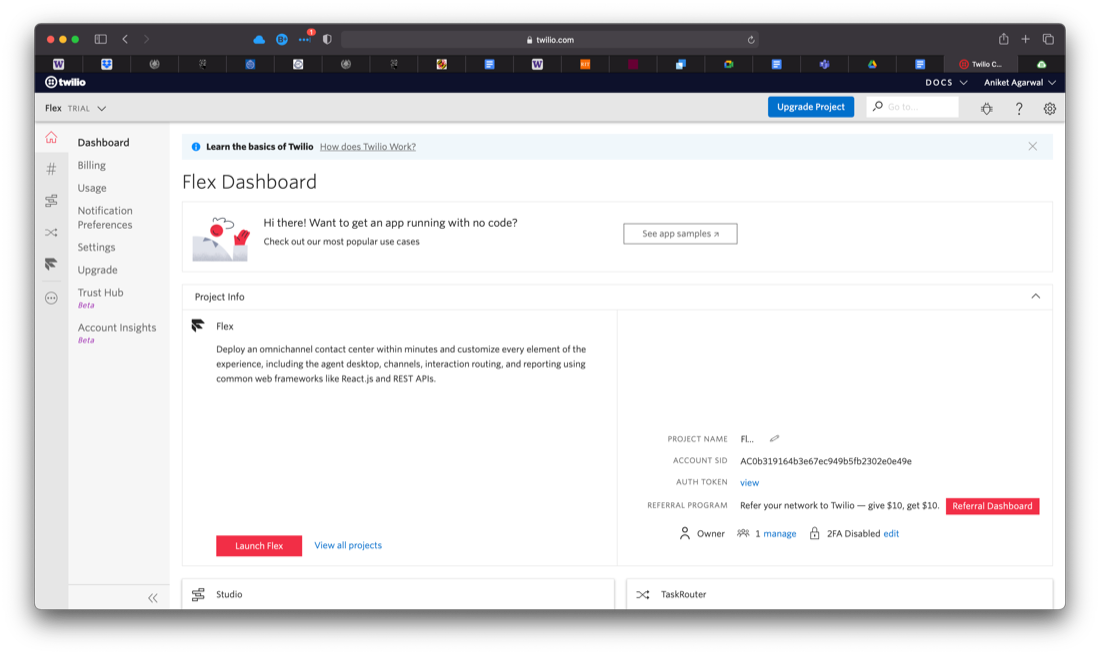
Twilio
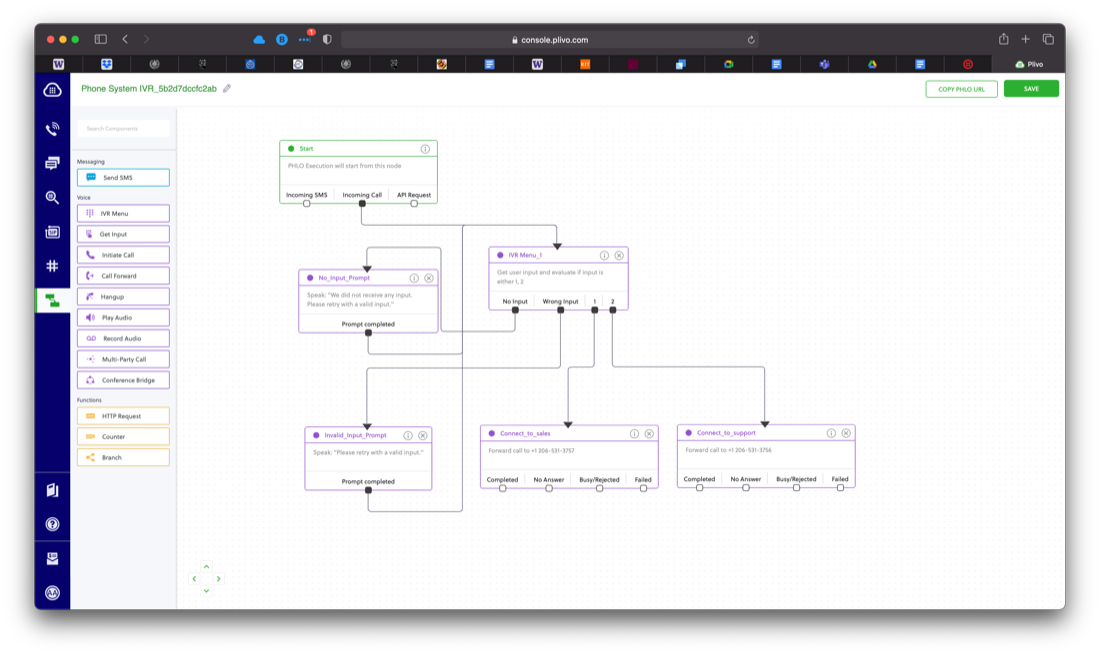
Plivo
03
Trial journey
A trial account, not a sales call, as the first step
Instead of gating the product behind a demo request, we built a self-serve trial: register, and Airtel IQ hands you a working test number — an "intelliphone" — to actually experience the platform on before committing to anything.
The whole trial is one linear path, deliberately: register, activate the number, pick a call-flow template, configure it, test it, then see the results land in your own call logs.
04
Trial configuration
Five screens, one continuous loop
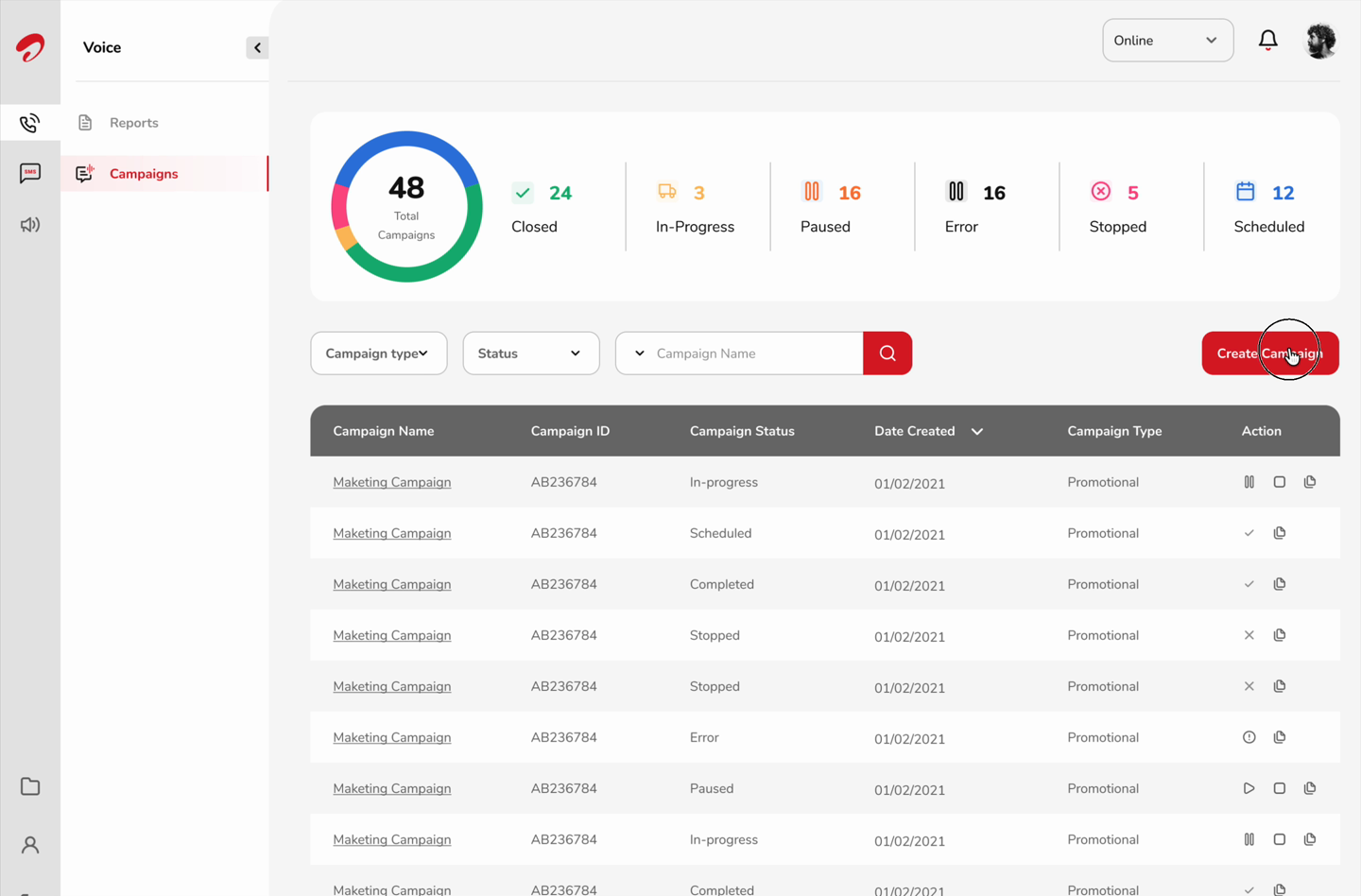
Every trial user gets their own intelliphone — a live number they activate by calling it from their own registered phone. That unlocks a library of ready-made inbound and outbound templates, each with a live preview and a plain-language description, so nobody starts from a blank canvas. Picking one drops the business straight into an editable flow: reroute a branch, swap the audio a caller hears, add or remove a step, each block opening its own configuration panel in place.
Testing a flow returns a real number to dial from that same intelliphone — the business hears their own configuration as an actual incoming call — then lands in a call logs dashboard with the same metrics a paid account would see, filterable down to just what that business cares about.
Scroll ↔
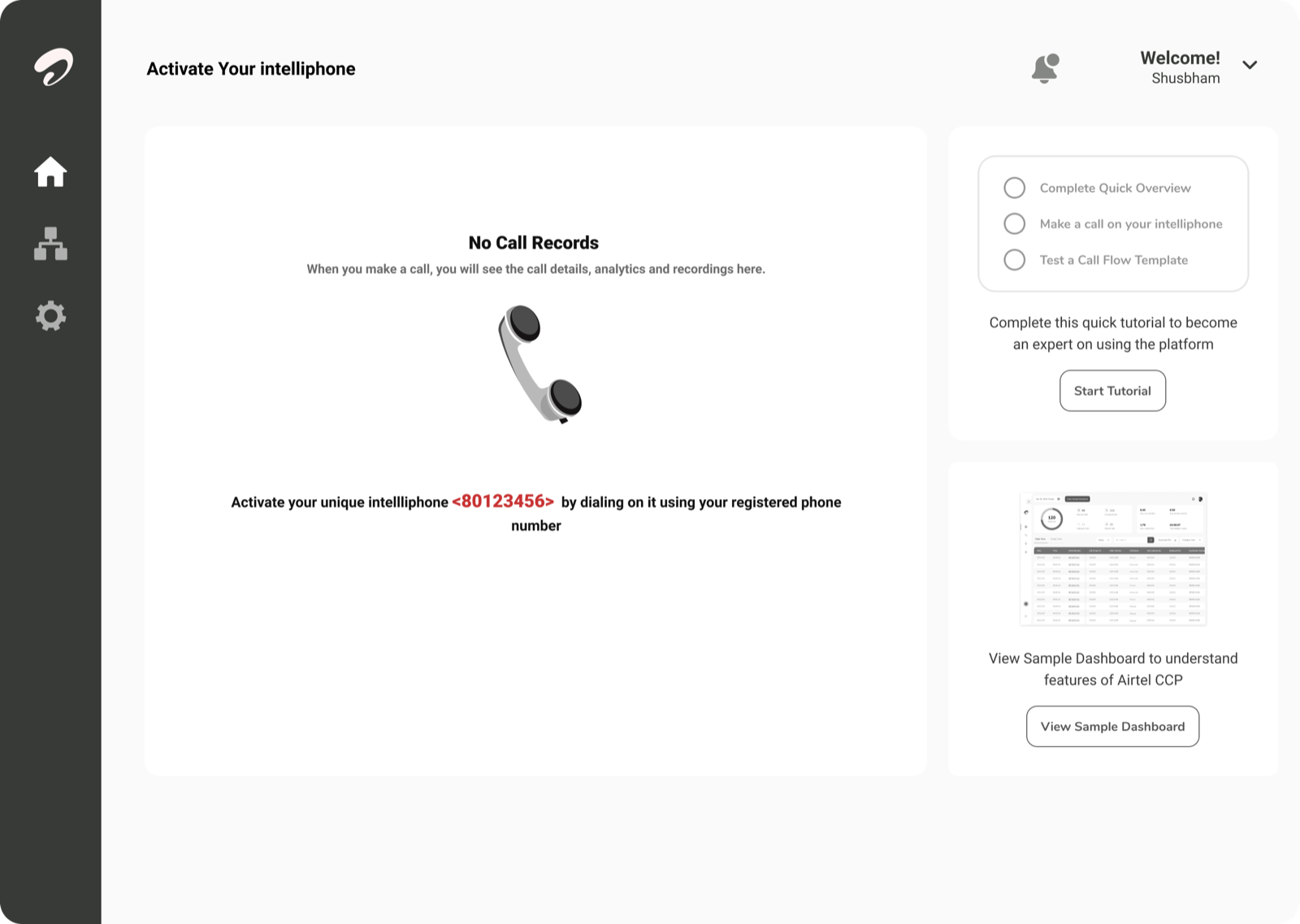
Activate
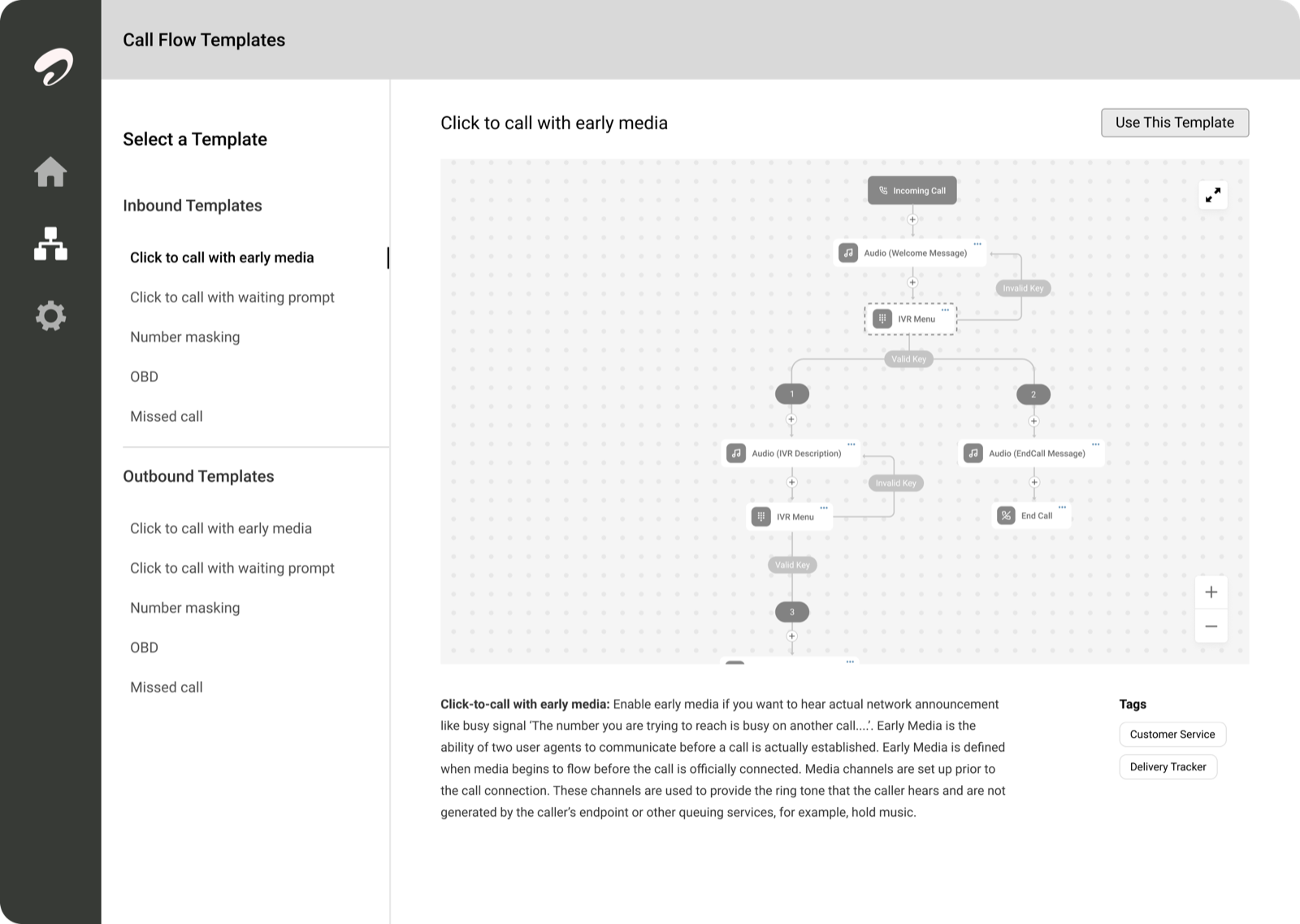
Templates
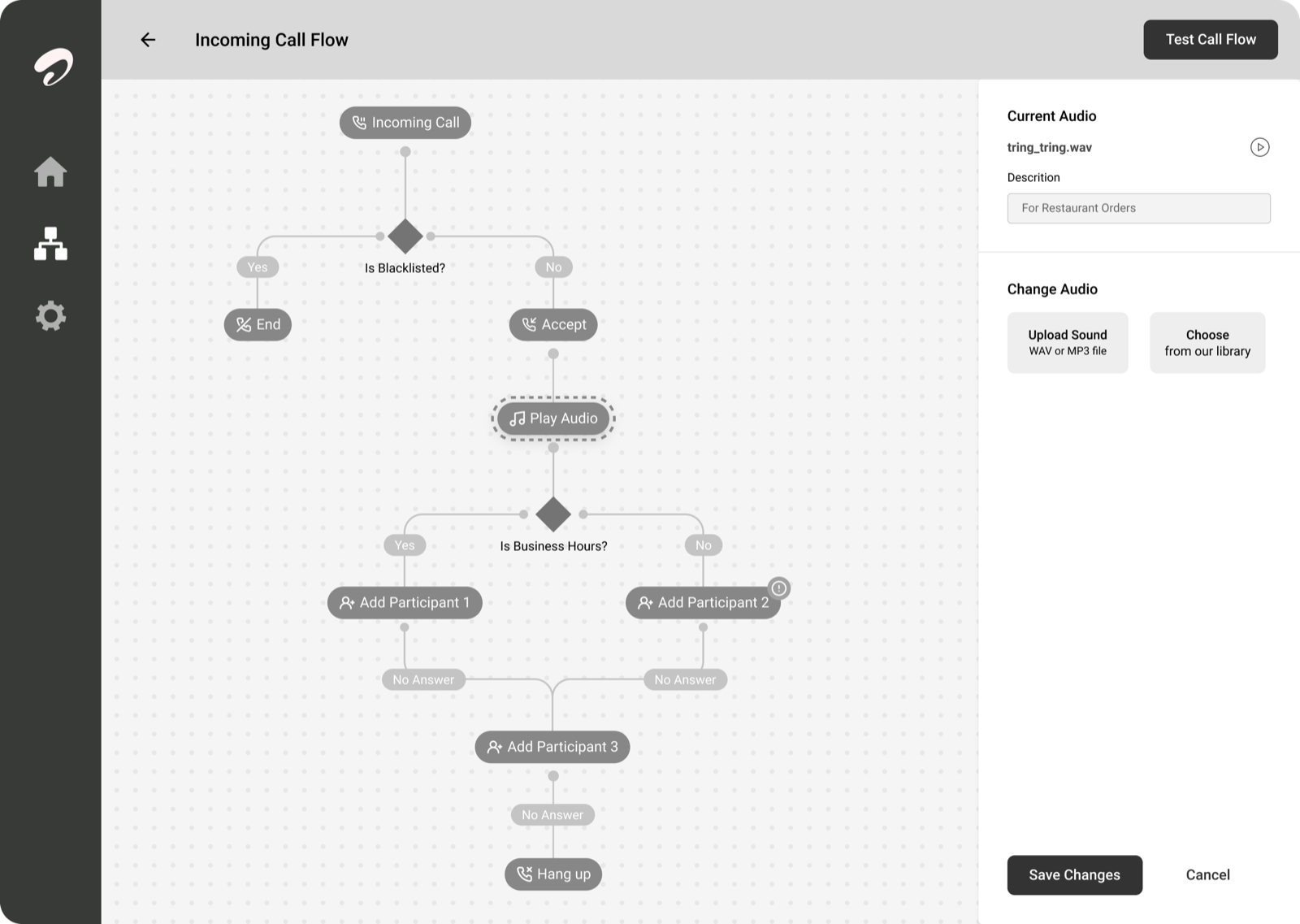
Configure
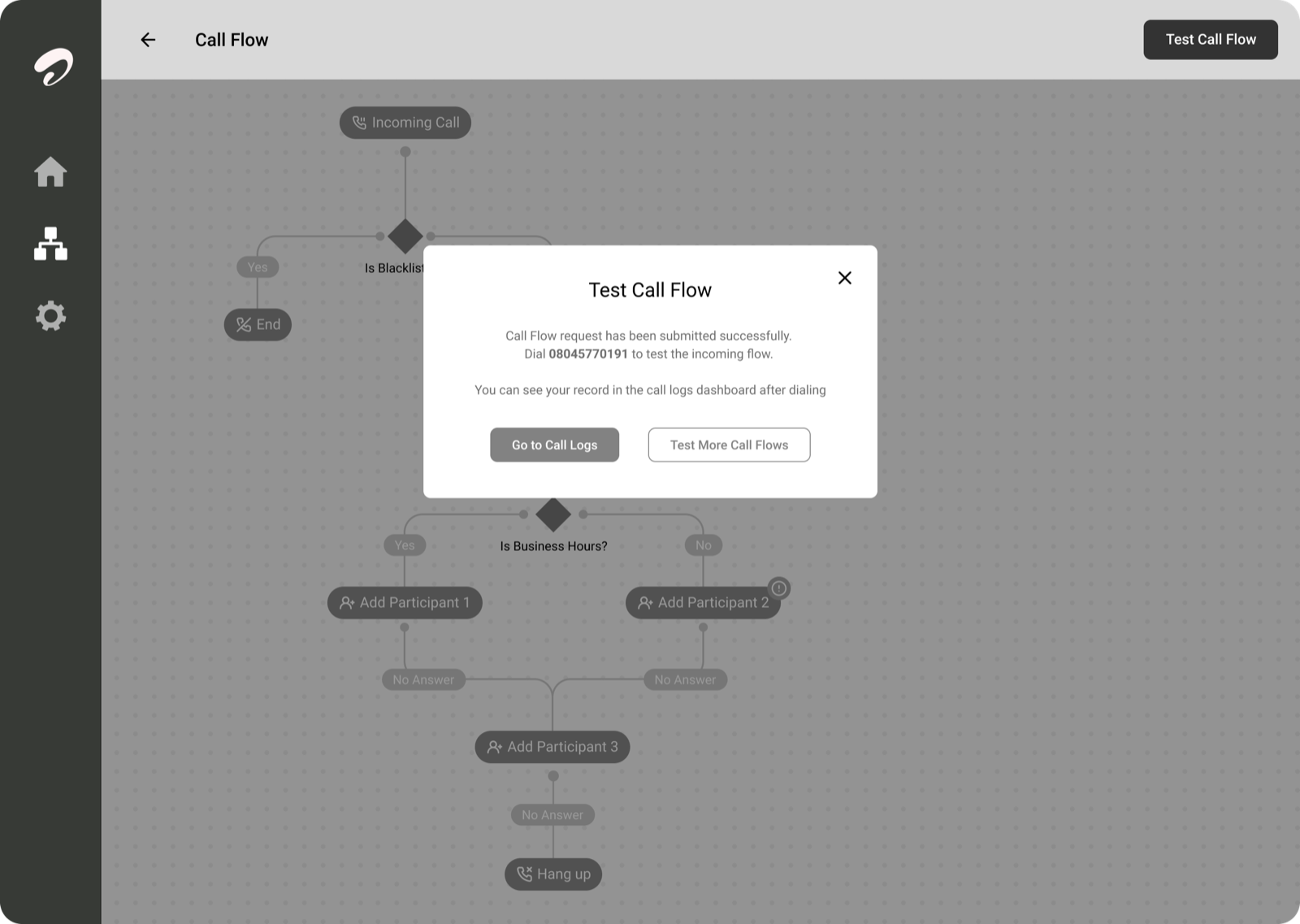
Test
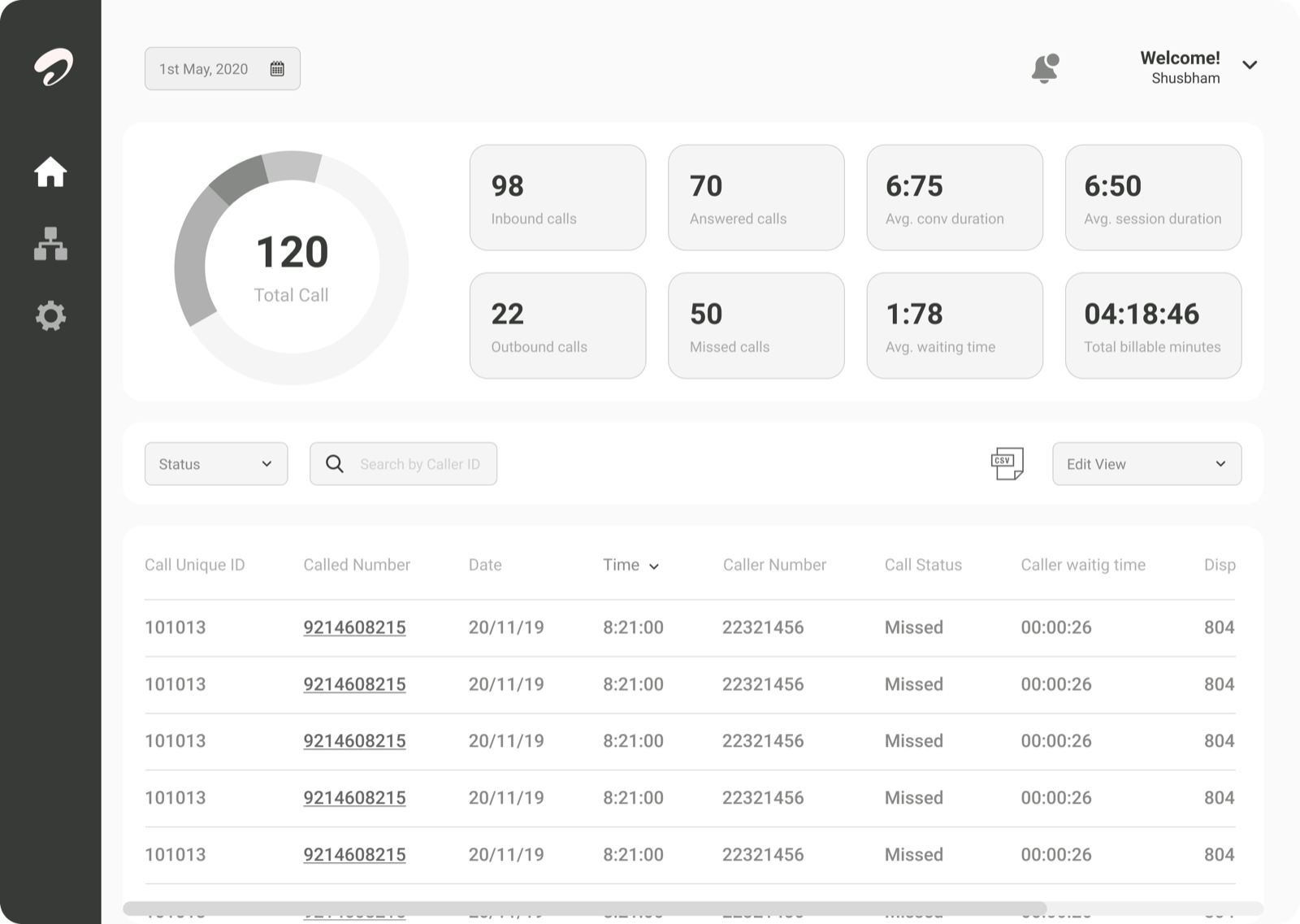
Review
05
Visual design
From flowchart sketches to a shipped design system
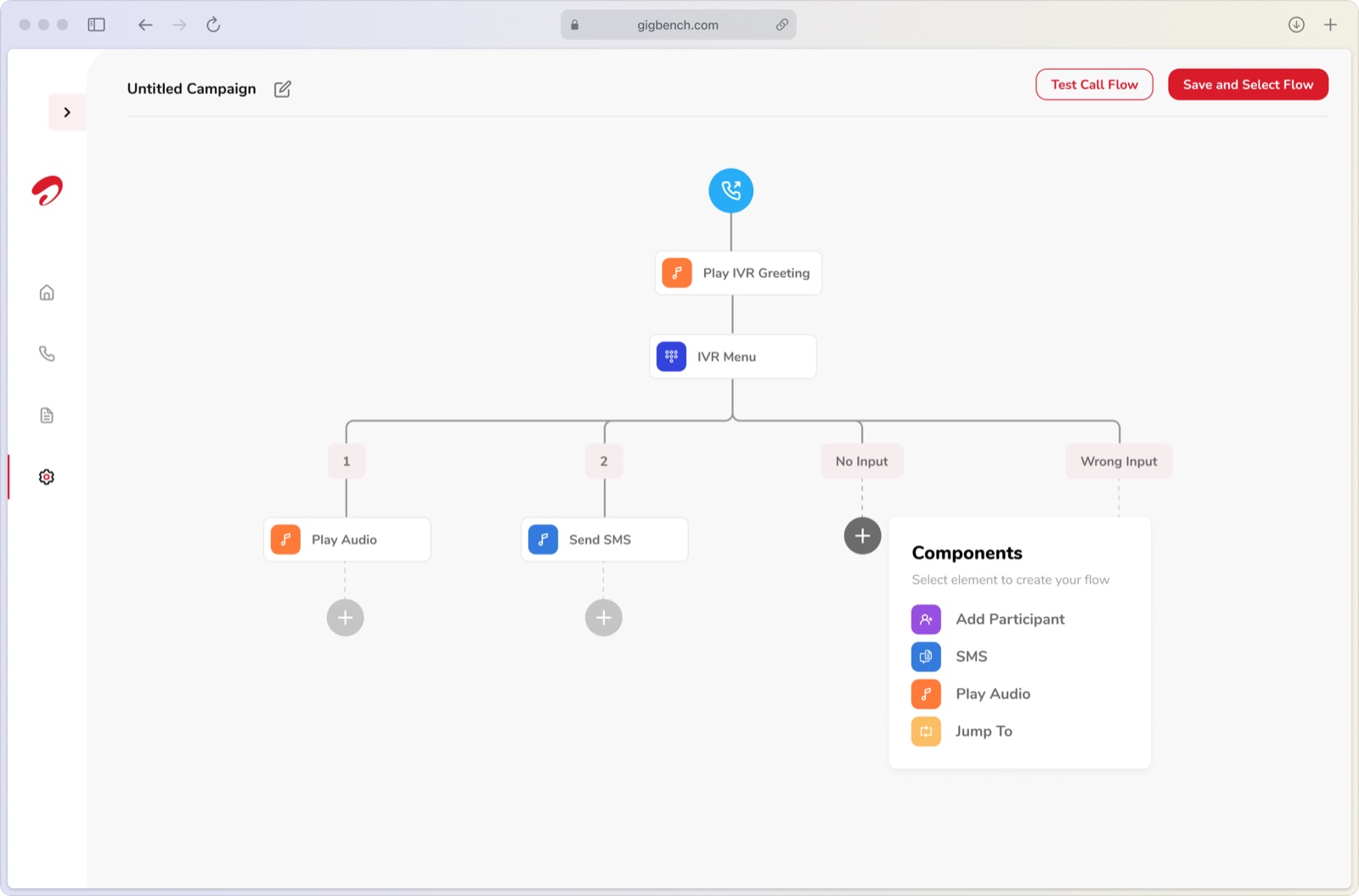
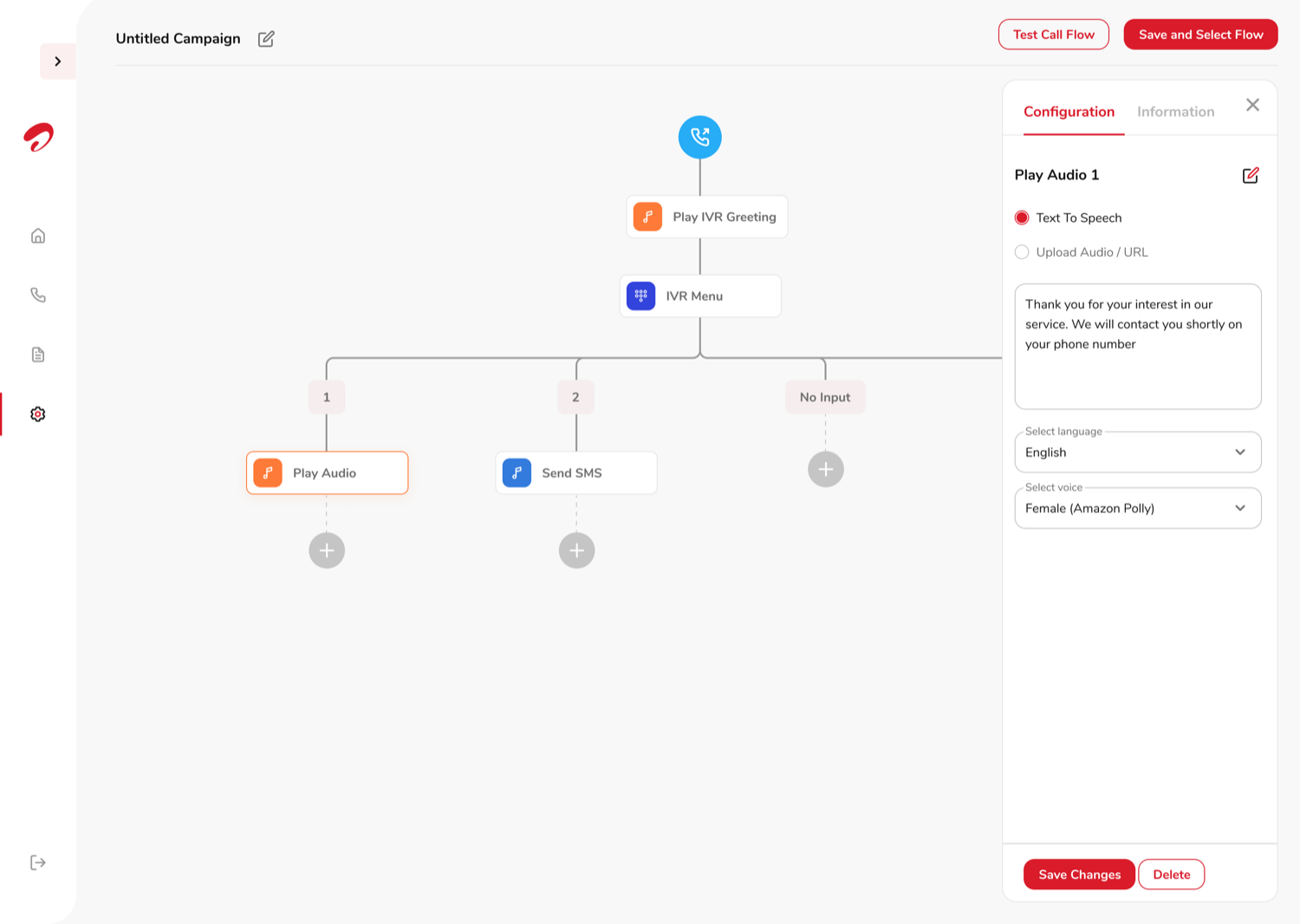
The campaign builder went through a few structural directions before the final one: an early pass that read more like a marketing flowchart tool, a card-based alternative that broke a flow into named sections (Greeting, IVR Menu, Other Inputs), and a node-tree layout that turned out to be the shape everything else got built on.
Getting from those explorations to the final version took a few rounds of client and user feedback, not one clean decision. Some directions were too limited — a fixed flowchart shape that couldn't hold a real branching IVR without breaking. Others were too customizable — a free-canvas node graph that let anyone drag nodes anywhere, which felt flexible in a demo but left every real flow as a tangle someone had to manually tidy up. The sweet spot was a structure flexible enough for actual call logic but constrained enough to stay manageable on one screen without the business doing any layout work of its own.
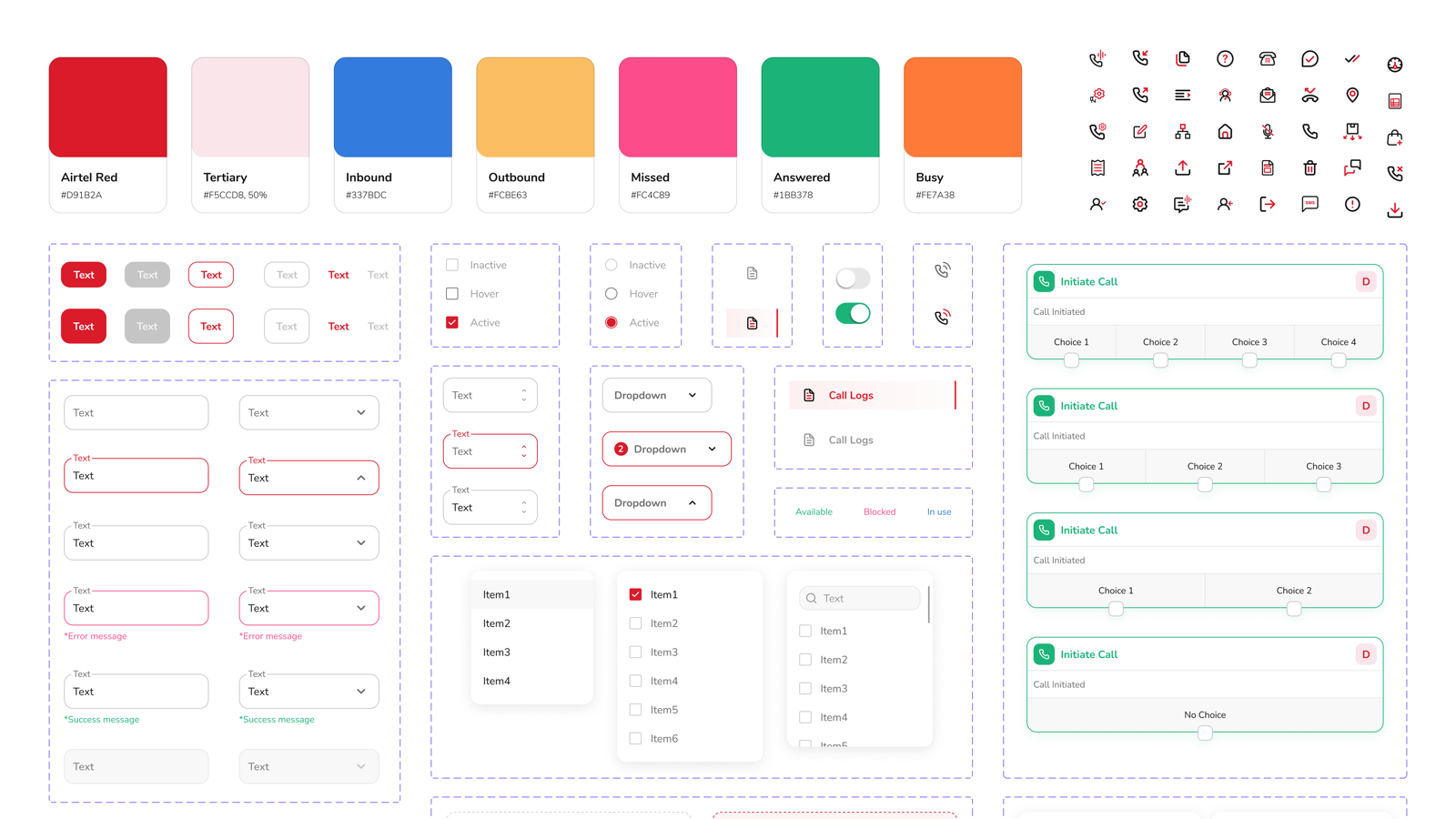
The shipped version takes layout off the user's hands entirely: nodes arrange themselves, and the canvas moves to follow whichever node you click, so what you're configuring stays in view instead of scrolling off-screen. Zooming out is still there for anyone who wants to see the whole flow at once — but it's optional, not something the earlier explorations ever let you skip. All of it built on Airtel's existing brand — colours, buttons, inputs, icons — so the tool reads as one product with the rest of Airtel Business, not something bolted on beside it.
Scroll ↔
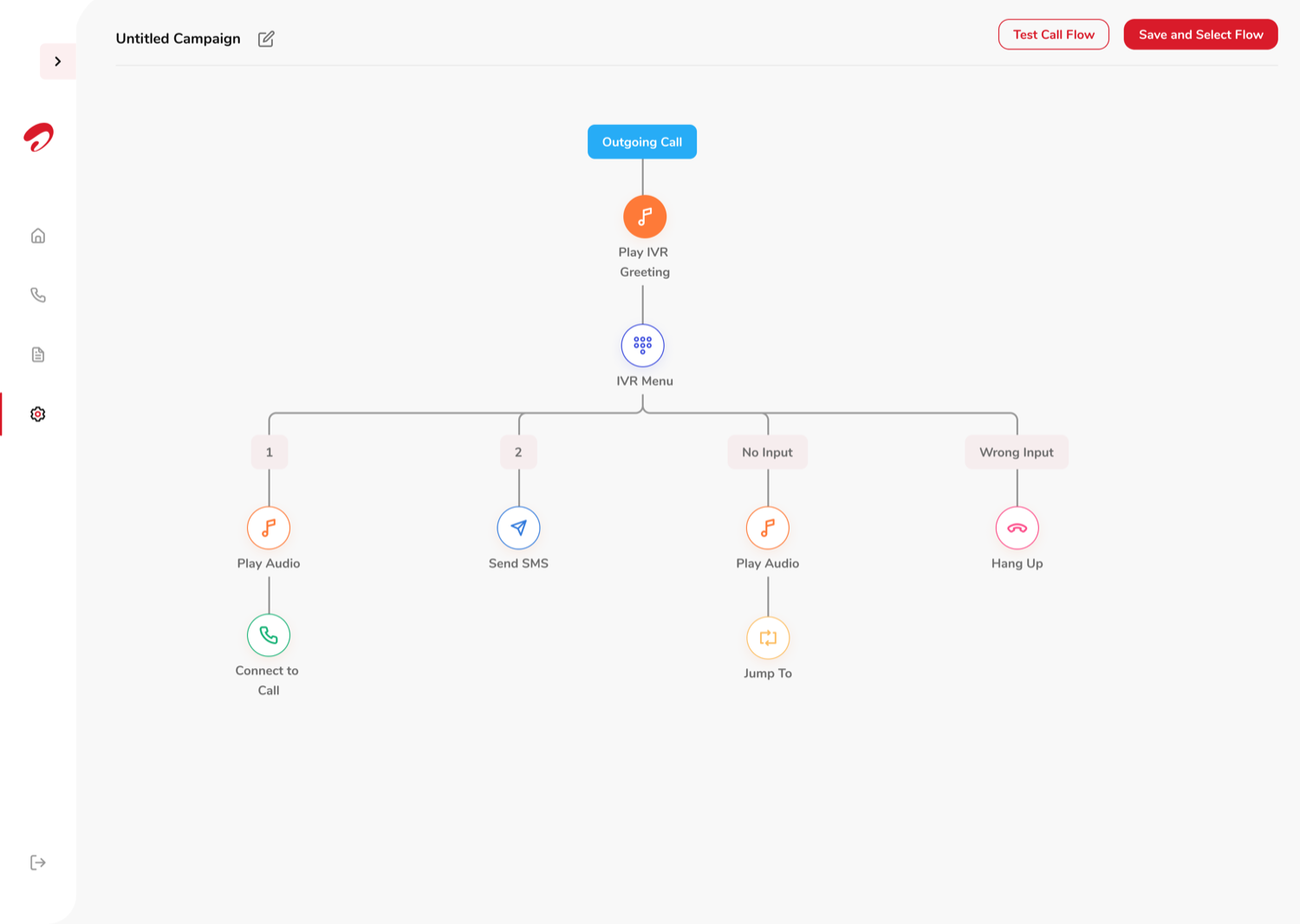
Flowchart
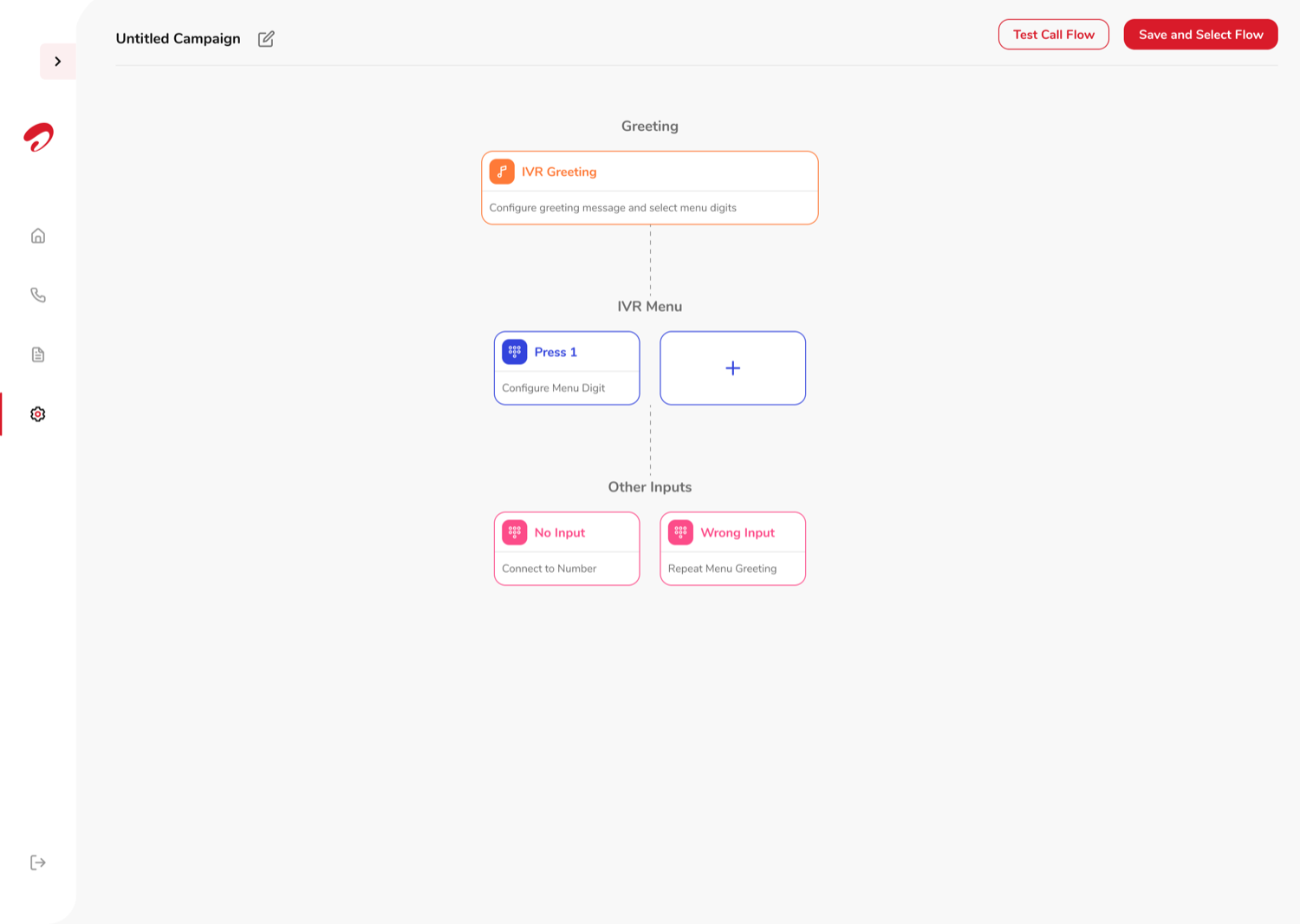
Sectioned cards
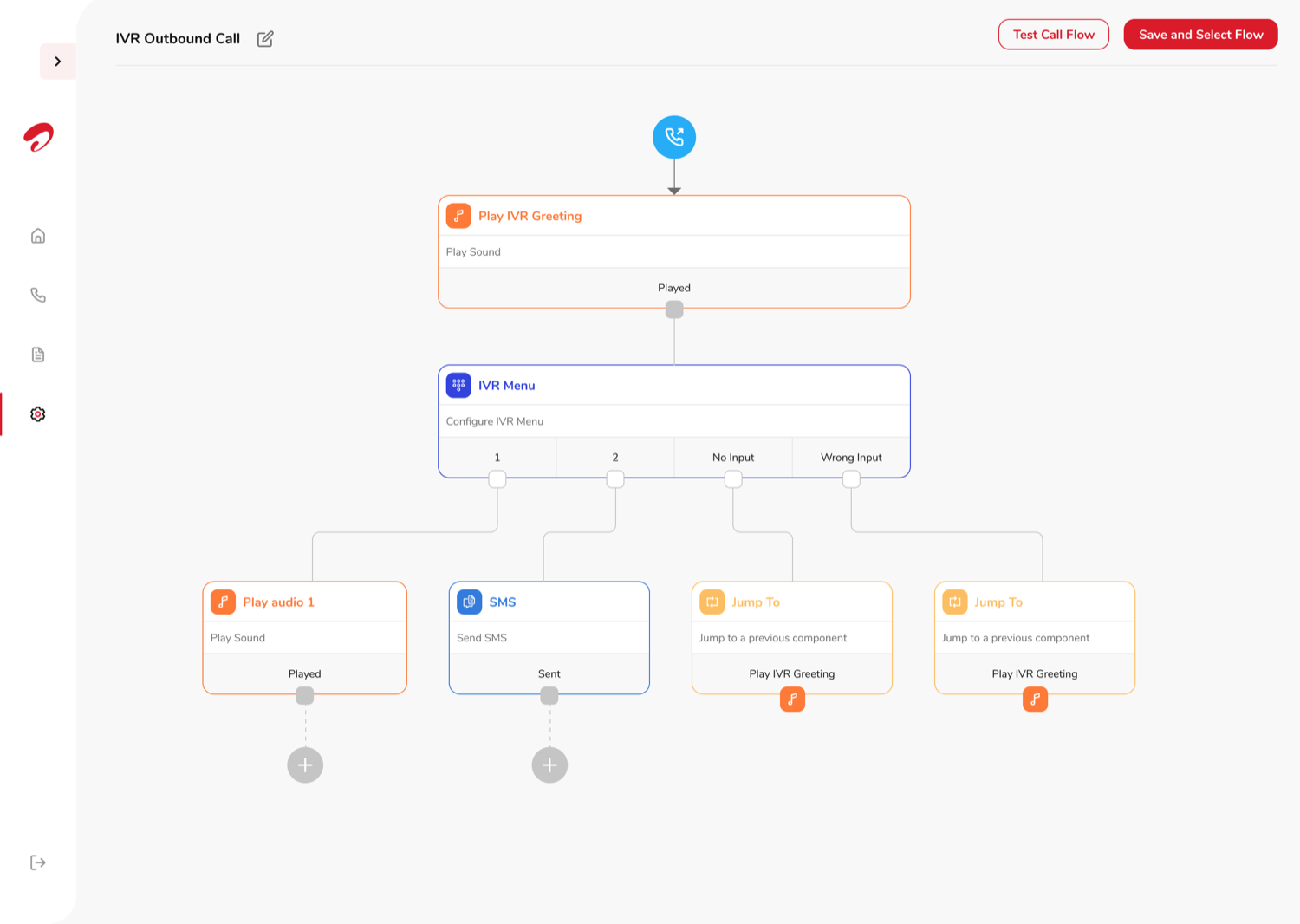
Node tree
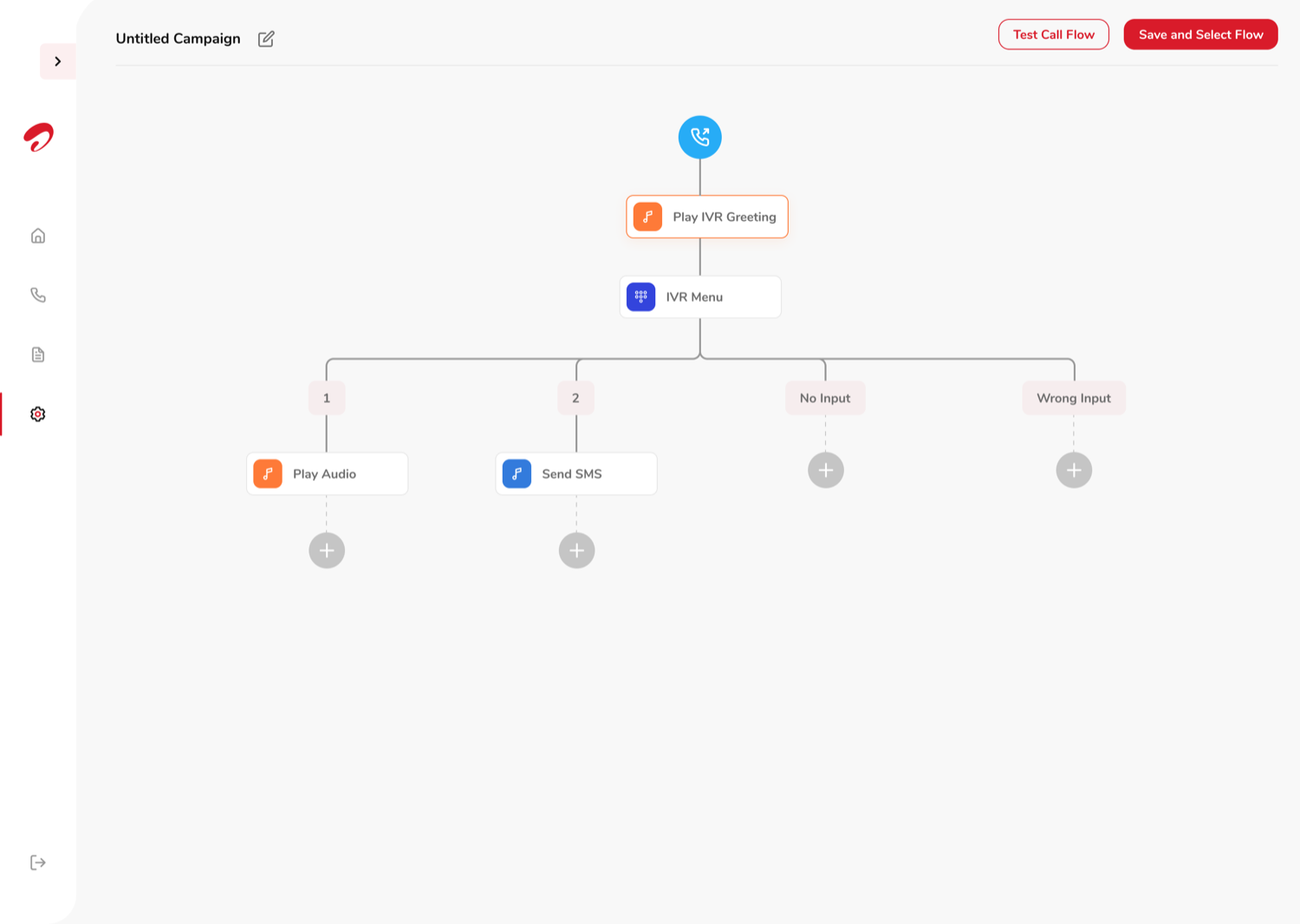
Flow
Configuration
06
Results
Beta customers included some of India's biggest names
Swiggy, Justdial, Urban Company, Havells, Dr Lal PathLabs and Rapido all signed on as customers during the beta phase alone, and Airtel IQ launched into the $1bn cloud communications market with coverage in the trade press.
125%
Increase in end users in the first six months of launch
1,000+
Businesses signed up for the trial account
Enterprise
Most trial businesses went on to request the paid, upgraded plan
Hindustan Times Tech
Airtel enters $1-bn cloud communications market with the launch of business-centric 'Airtel IQ'
"The Indian cloud communications market is seen growing nearly 20 per cent annually. Airtel IQ aims to eliminate the need for multiple communication platforms…"
tech.hindustantimes.com ↗The Hindu BusinessLine
Airtel launches cloud-based communication channel IQ
"Airtel IQ enables brands to deepen engagement with customers through timely and secure communication…"
www.thehindubusinessline.com ↗Takeaway
Involve engineering before you fall in love with a flow
Bringing the tech team in from the start, rather than after the designs were done, kept us from designing configuration options the platform couldn't actually support — technical limitations surfaced as constraints to design around, not as rewrites after the fact.
The other bet that paid off: leaning on the visual language of Airtel's existing dashboards for the trial and call-flow builder, instead of inventing a new one. A familiar shell meant less cognitive load spent learning the interface, and more attention left for the actual task — building a call flow that works.